For You and Home
Pulse brings the right person to the right page. For you lists the pages you own or edited last that need you. The same list, shorter, sits in a section on Confluence Home, so you see it without opening Pulse.
Opening For you
Section titled “Opening For you”Open Apps → Pulse, or press alt+shift+p anywhere in Confluence. For you is the first of
three tabs, beside Site and Clean up.
What is on it
Section titled “What is on it”Your next fix at the top names the page where one step helps the most readers, with the step and what the page will score after it. Start fixing opens the editor with the reason pinned and the first step ready.
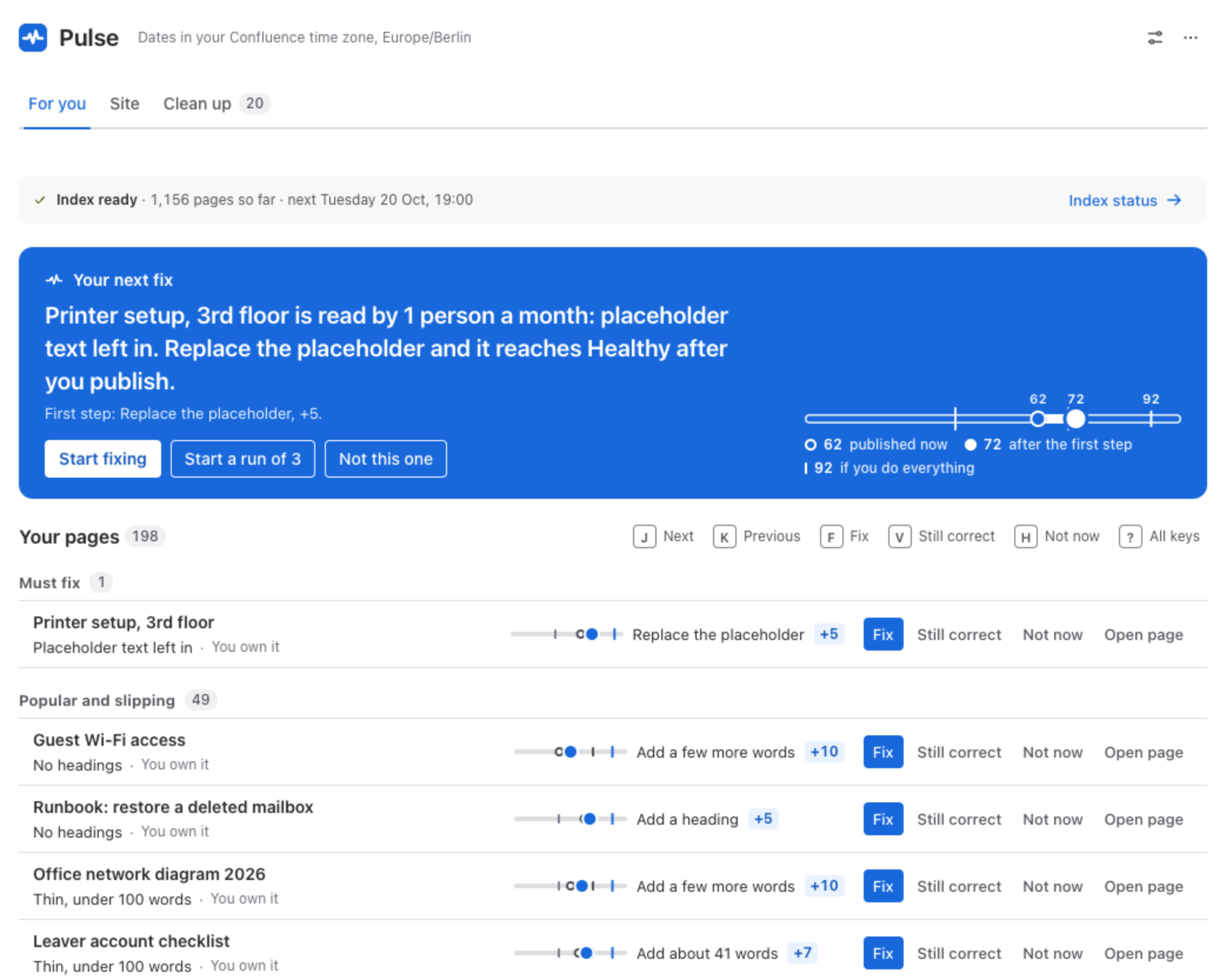
Below, Your pages in three groups:
| Group | A page is here when |
|---|---|
| Must fix | A Must fix step is open: a placeholder left in, links that do not open, a missing title. |
| Popular and slipping | It is below Healthy, or it dropped a band because of its age in the last 30 days, and nobody has confirmed it still correct. |
| Review due | You own it and its review date is close or has passed. |
Each row shows one reason, whether you own the page or edited it last, a small scale with where the page is and where the next step takes it, and the next step with its points.
The order
Section titled “The order”Pages read by more people and further below Healthy come first: Pulse multiplies the readers of the last 30 days by the points the page is below Healthy. Pages you confirmed still correct rank as if they were fresh. The rule is printed under the list, so nobody has to guess why a page is on top.
What you can do with a page
Section titled “What you can do with a page”- Fix opens the page in the editor with the step ready.
- Still correct records that you checked the page and it is right as it is. It does not change the score; it sets a new review date.
- Not now takes the page out of your list, until it changes or for 30 days. It stays in the numbers.
- Open page opens it as it is.
Every action has an undo, in the flag that confirms it, or press Z. From the keyboard, J and
K move through the list, F fixes, V marks still correct and H puts a page aside; ? lists
every key.
Runs of three pages
Section titled “Runs of three pages”Start a run of 3 takes up to three of your pages one after another. When you publish one, the receipt offers the next page of the run, so a short session of fixing has a clear end. A run never changes a page by itself.
The section on Confluence Home
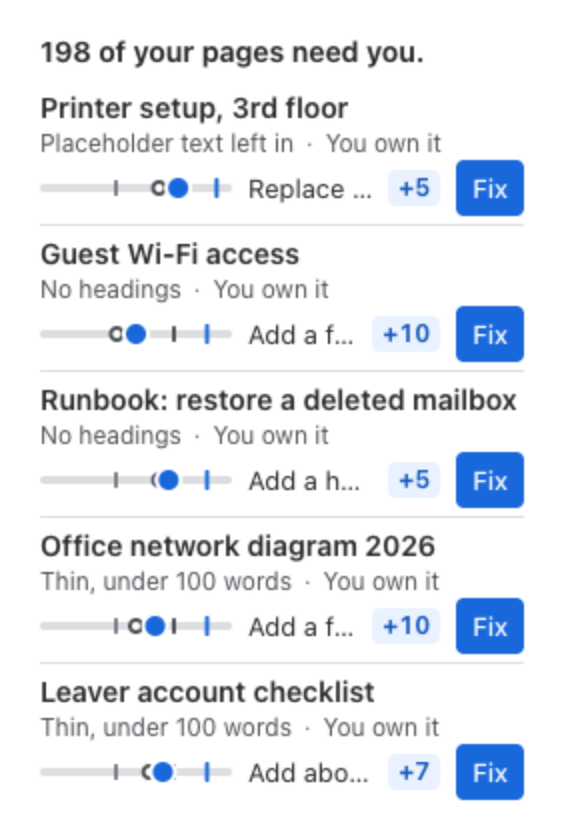
Section titled “The section on Confluence Home”On Confluence Home, the section Pulse · your pages to fix shows how many of your pages need you and the first rows of the same list, each with its next step and Fix. When nothing of yours needs fixing, it says so in one line.
Whose pages these are
Section titled “Whose pages these are”A page is yours when you own it or you edited it last. Pulse checks the pages it finds for you with Confluence, as you, before it shows them, so the list holds only pages you can open. It checks at most 200 of your pages at a time, the ones with the most readers furthest below Healthy first.
- Space report: the same queue for a whole space.
- What readers see: the invitation on the page itself.