Space Report
Every Confluence space has a Pulse space report. Open the space and choose Pulse space report in the sidebar, under the space’s apps. Everyone who can open the space can open its report, and every number in it is counted for them, over the pages they can open.
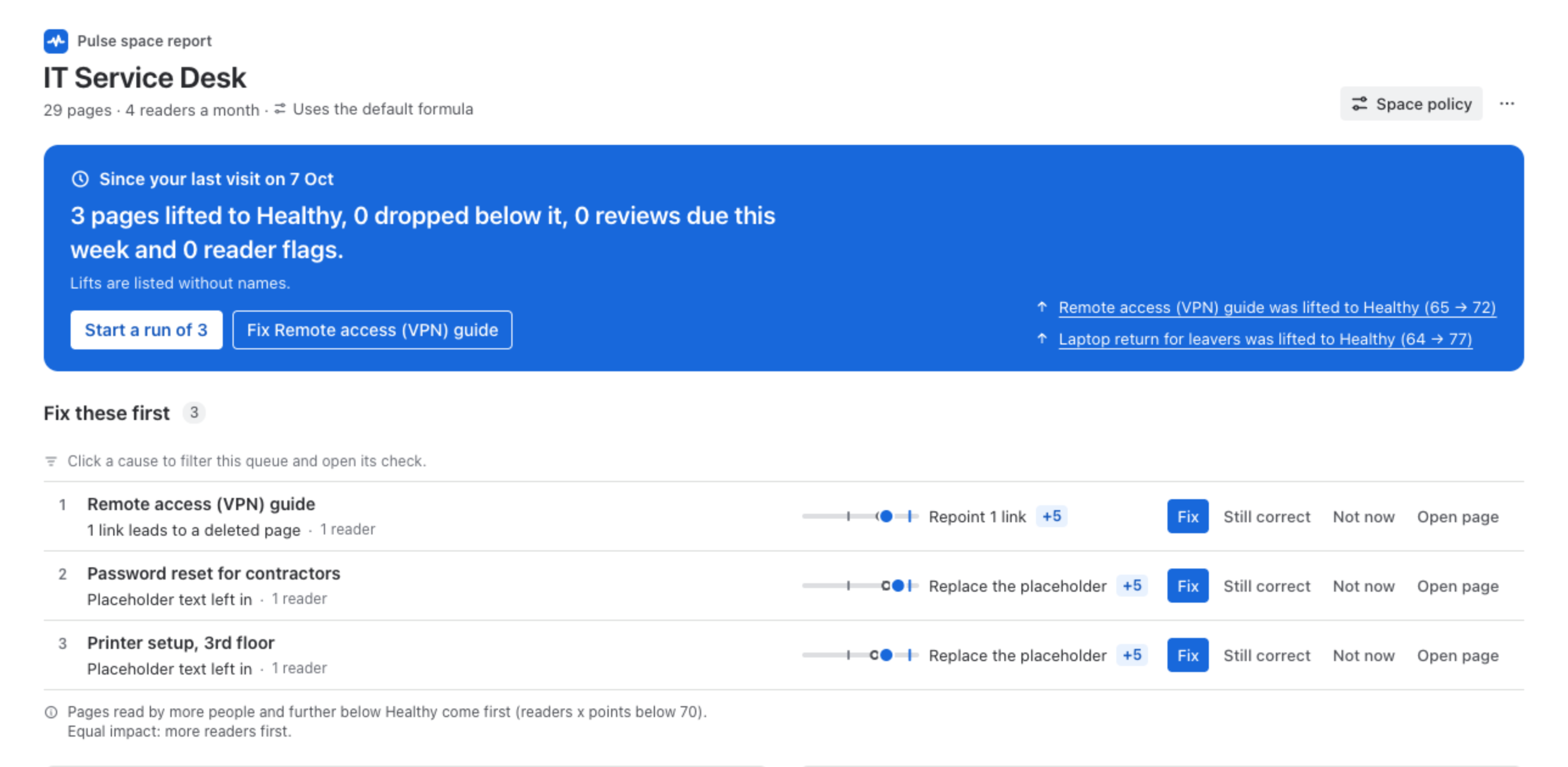
Since your last visit
Section titled “Since your last visit”The panel at the top says what changed in the space since you last opened its report: pages lifted to Healthy, pages that dropped below it, reviews due this week and notes from readers. Lifts are listed without names. Start a run of 3 takes you through the first pages of the queue one after another.
Fix these first
Section titled “Fix these first”The queue of the space: the pages that need someone, each with its reason, its next step and its points, and Fix, Still correct, Not now and Open page. Pages read by more people and further below Healthy come first: Pulse multiplies the readers of the last 30 days by the points below 70, and the rule is printed under the queue.
Causes and the agent verdict
Section titled “Causes and the agent verdict”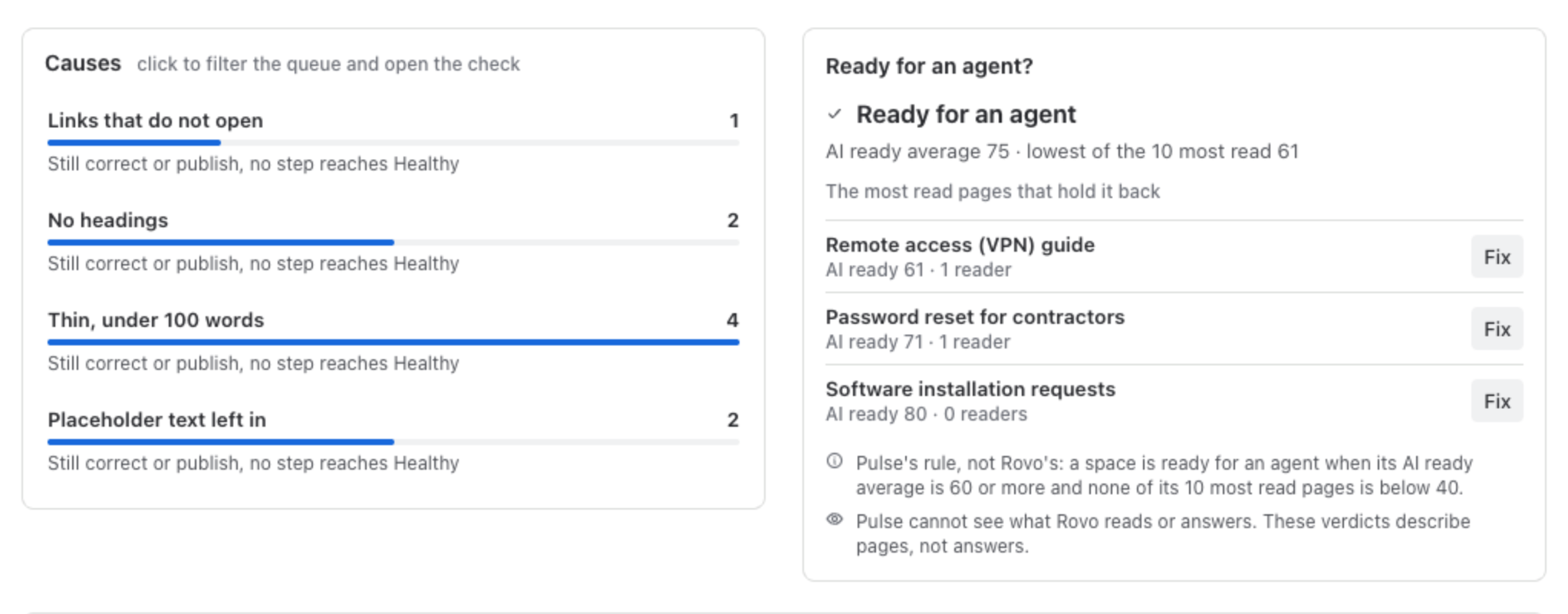
Causes counts the pages of the space by what holds them back: links that do not open, placeholder text left in, no headings, thin pages under 100 words, pages not updated in 180 days and reviews that are overdue. Click a cause to filter the queue and open its check, a table of the pages with that cause and their steps.
Ready for an agent? answers whether the space is in shape for an AI agent such as Rovo to answer from. The rule is printed with it: a space is ready when its AI ready average is 60 or more and none of its 10 most read pages is below 40. Below the verdict are the most read pages that hold it back. Pulse cannot see what Rovo reads or answers, so the verdict describes pages, not answers.
Every page of the space
Section titled “Every page of the space”All pages lists every page you can open in the space, with its readers, Health, AI ready and last update. Sort by any of them, filter by band, by Not updated in 180 days or by No headings, and open a page from its row.
Average Health per week
Section titled “Average Health per week”After Pulse’s first weekly check of your site, the report draws the space’s average Health week by week. A new install has no history yet, so no week is drawn before it exists.
Clean up for this space
Section titled “Clean up for this space”At the bottom, a line leads to Clean up for this space: pages that cover the same topic, and pages nobody reads. They are kept apart from fixing.
Space policy
Section titled “Space policy”Space policy at the top opens the space’s settings in Pulse: the review interval of the space, and on the Advanced edition a content policy of its own. See Settings.
- Site and Clean up: the same view across every space you can open.
- AI-Ready Score: what the agent verdict is built from.